Configure Rules
Age, location, and sanction settings are now configured per flow rather than as a single account-wide setting. The screens below illustrate the concepts; see Flows & Groups for how these settings map onto a flow's configuration today.
Cycurid SDK Documentation
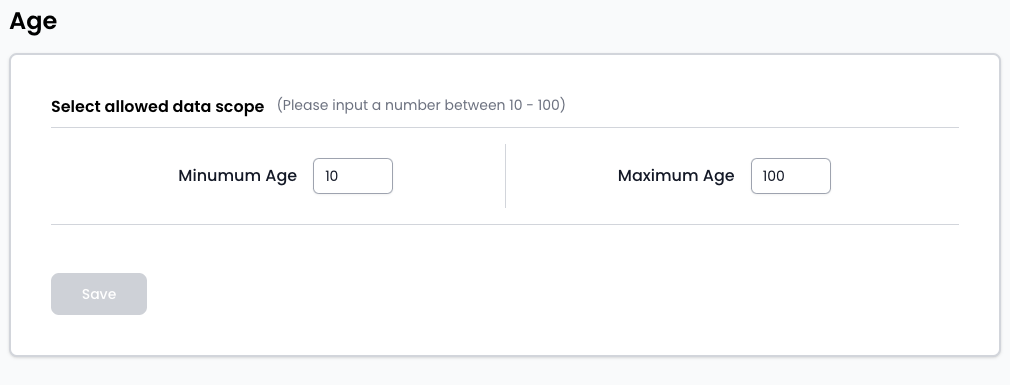
Age Rule Configuration
Cycurid SDK provides merchants with the flexibility to define age verification rules, ensuring that users meet specific age criteria before accessing services. The age rule feature allows merchants to set age ranges, providing a customized approach to identity verification.
Example:
- Minimum Age: 10 years
- Maximum Age: 100 years
Location Settings
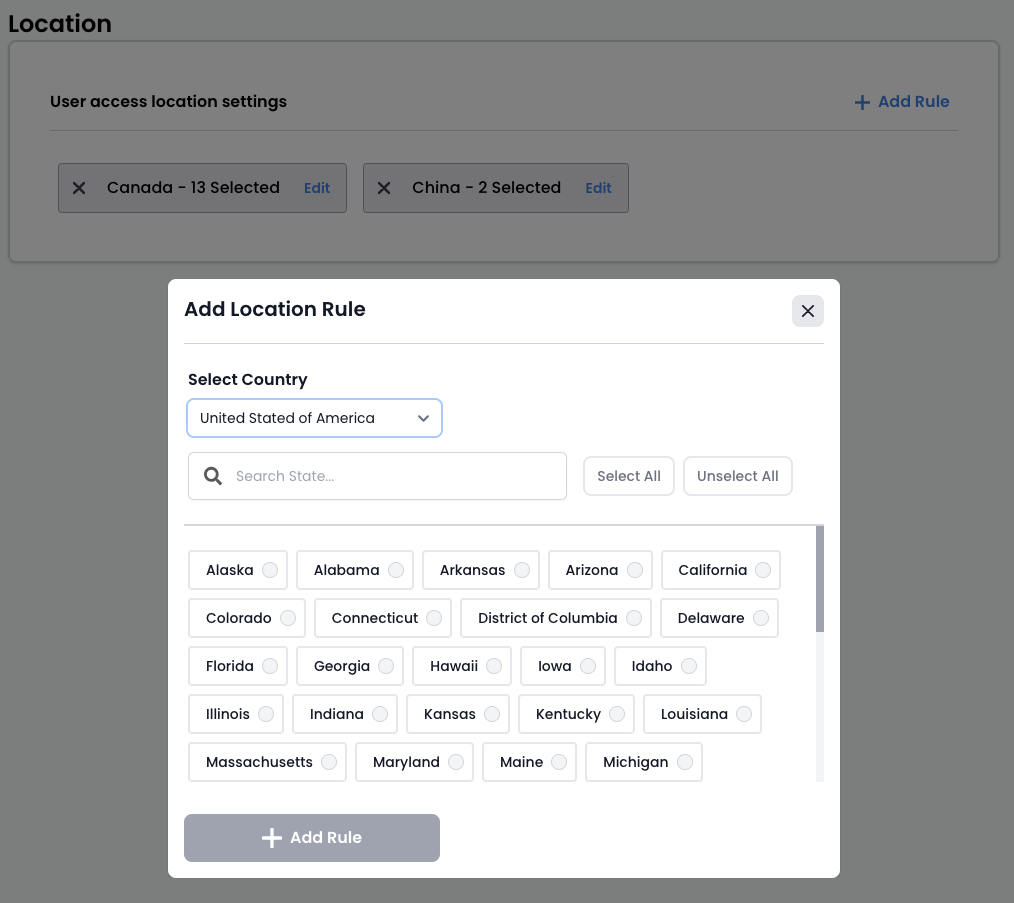
Cycurid SDK empowers merchants to implement location-based verification rules, enabling them to control access based on geographical areas or regions. This feature is particularly useful for businesses that require location-specific compliance.
Example:
- Allow access only from specific countries or regions.
- Restrict access from sanctioned or high-risk locations.
Approval Settings
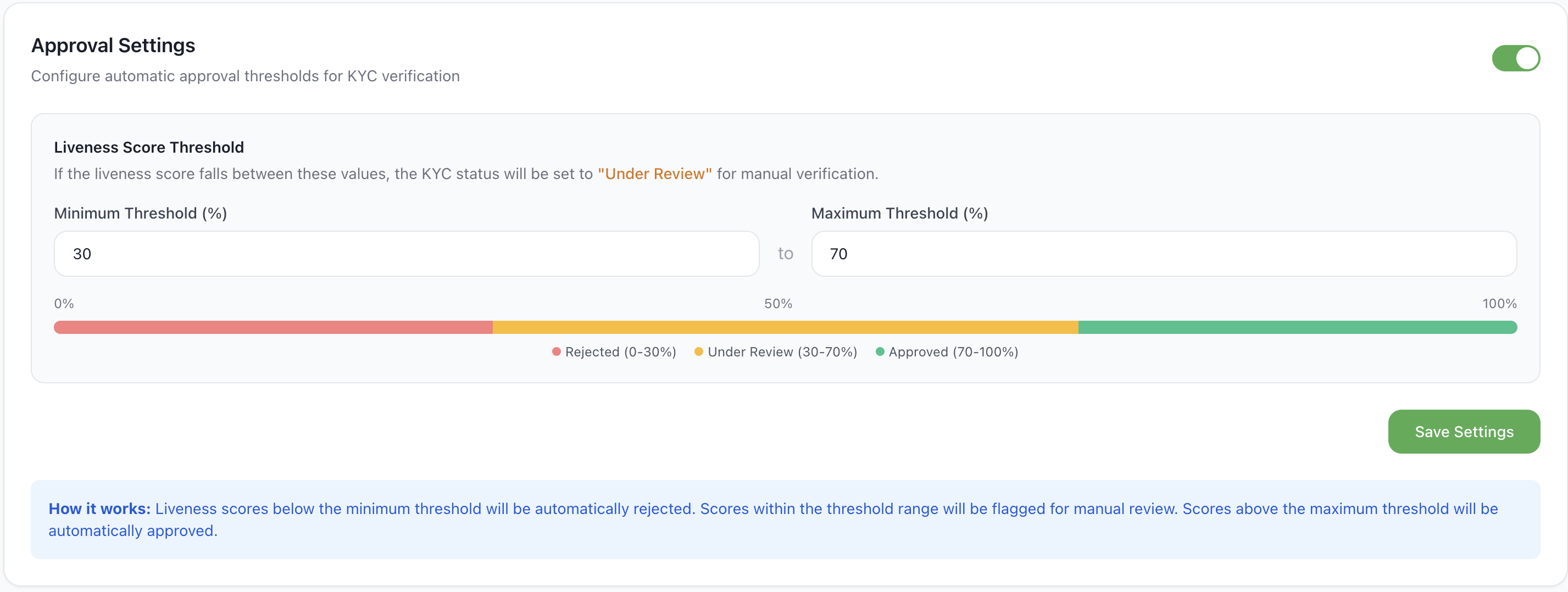
Approval Settings let you control how a user's liveness score — the face-match confidence score comparing the selfie against the photo on the submitted document — determines the outcome of a verification. Unlike the flow-level settings above, this is an account-wide setting — it applies to every verification across all of your flows, and isn't configured per flow.
Find it under Profile → Approval Settings in the portal (not the Configuration page).
How it works
The liveness score (0–100%) returned when the selfie is compared against the document photo is checked against a minimum and maximum threshold:
| Liveness Score | Outcome |
|---|---|
| Below Minimum Threshold | Rejected |
| Between Minimum and Maximum Threshold | Under Review (flagged for manual verification) |
| Above Maximum Threshold | Approved |
Settings
| Setting | Description | Default |
|---|---|---|
| Enable Liveness Approval (toggle, top right) | Turns this behavior on or off. When off, liveness score does not gate the outcome. | On |
| Minimum Threshold (%) | Score below which a verification is auto-rejected (0–100). | 0 |
| Maximum Threshold (%) | Score above which a verification is auto-approved (0–100). Must be greater than or equal to the minimum. | 100 |
The portal shows a live color-coded bar (red / amber / green) as you adjust the thresholds, reflecting the Rejected / Under Review / Approved ranges above.
Sanction Screening
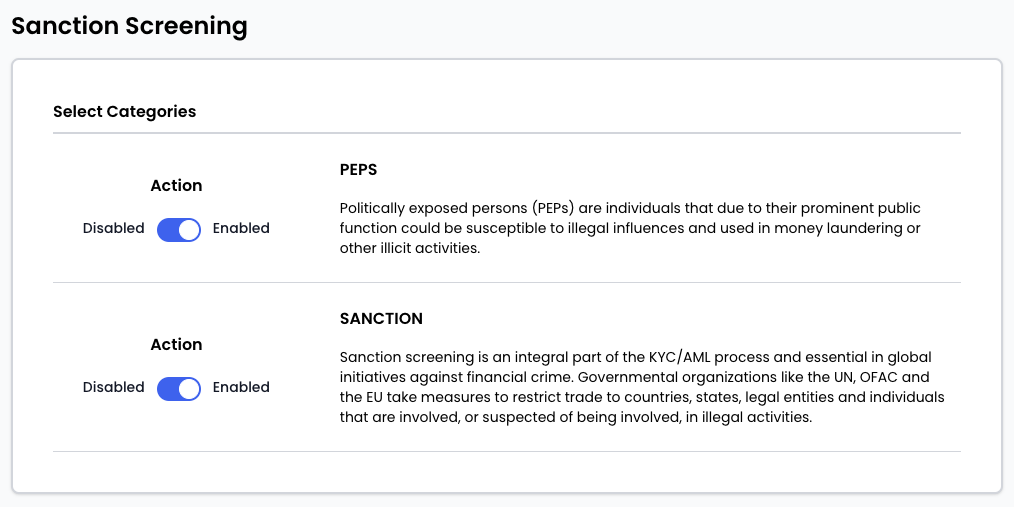
Sanction screening is an integral part of Cycurid SDK's Know Your Customer (KYC) and Anti-Money Laundering (AML) processes. It includes checks for Politically Exposed Persons (PEPs) and individuals/entities listed by governmental organizations like the UN, OFAC, and the EU.
Politically Exposed Persons (PEPs):
- Individuals with prominent public functions susceptible to illegal influences.
- Used to prevent money laundering and illicit activities.
Sanction Screening:
- Integral part of KYC/AML processes.
- Essential in global initiatives against financial crime.
- Restricts trade to entities involved in illegal activities.
By leveraging these features, merchants can enhance the precision of identity verification processes, adhere to regulatory requirements, and contribute to global efforts against financial crimes.